
Troubleshooting Mautic Database Migrations After Major Upgrades
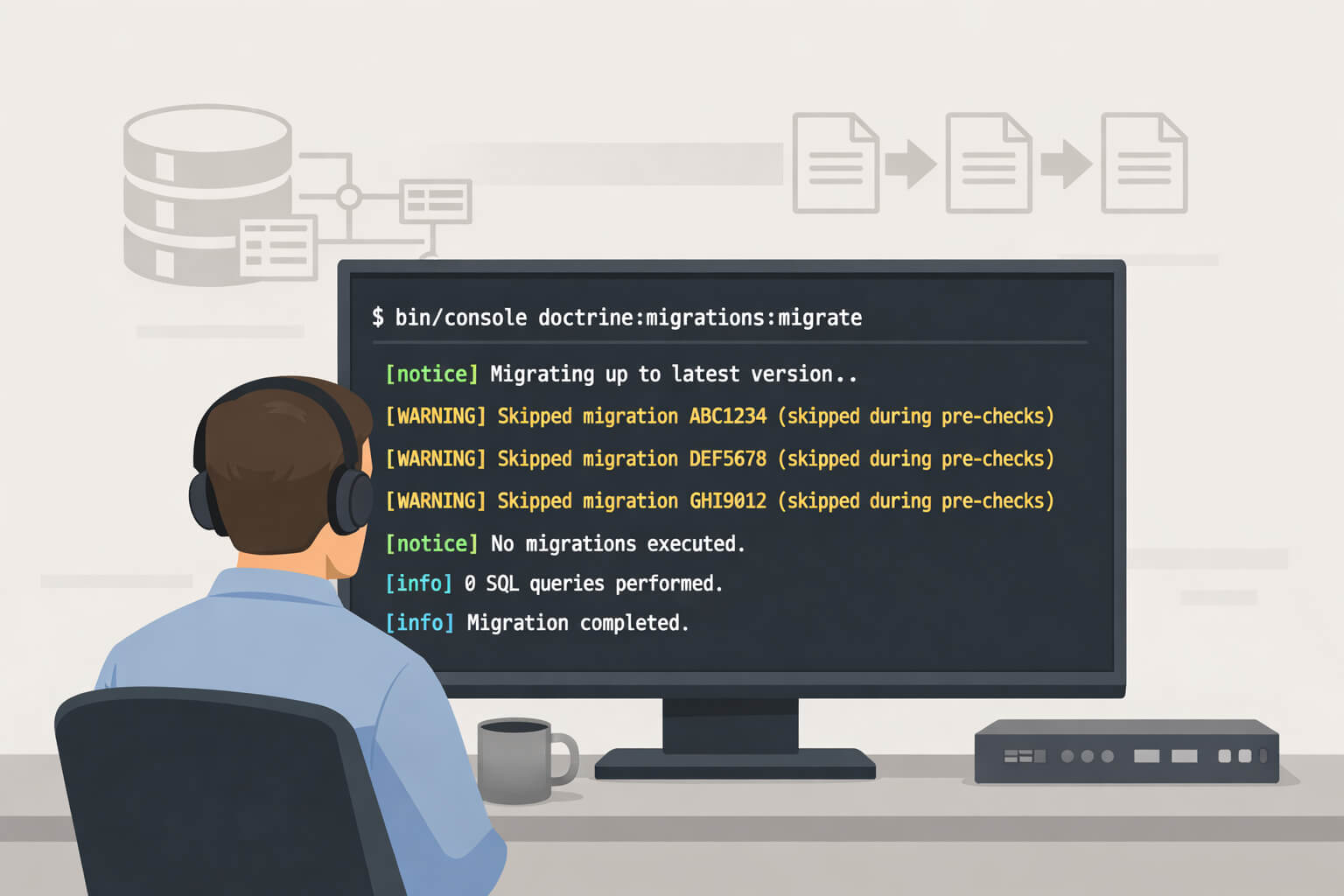
Upgrading to Mautic 7 (or previous versions) can leave system administrators in a confusing position: the database schema appears correct, yet the migration status reports dozens of outstanding migrations that refuse to run. Attempts to execute them result in no database changes, while health checks and future upgrades continue to warn that the system is incomplete.
This article explains why this happens, how to confirm that your schema is already correct, and how to safely reconcile Doctrine’s migration tracking without risking data integrity.
Understanding What Is Actually Happening
Mautic relies on Doctrine Migrations to manage schema changes. During a major upgrade, Doctrine evaluates each migration using a pre-check process:
- Doctrine compares the expected schema changes defined in a migration file.
- It then compares those changes against the current database schema.
- If no differences are detected, the SQL execution phase is skipped.
This behaviour is deliberate. It avoids reapplying schema changes that already exist, such as columns or indexes that were added manually or by earlier upgrade paths.
However, there is an important side effect:
When a migration is skipped during pre-checks, Doctrine does not always record that migration as executed in the version tracking table.
As a result, you can end up with:
- Migration files present on disk
- A database schema that already matches those migrations
- A migration tracking table that does not reflect reality
The schema is correct. The tracking data is not.
Why the Mismatch Causes Problems
An incomplete migration record leads to several operational issues:
doctrine:migrations:statusreports migrations as “new” indefinitely- Upgrade and health checks warn that the system is not fully migrated
- Administrators lose confidence in the true state of the database
- Future upgrades become harder to reason about
It is important to be precise here:
This situation does not indicate data loss or a broken schema. It is a bookkeeping issue caused by skipped migrations not being recorded.
Diagnosing the Situation Safely
Step 1: Check Migration Status
Run the status command from your Mautic root:
php bin/console doctrine:migrations:status --env=prod
Typical symptoms include:
- Available migrations matching the number of files on disk
- Executed migrations significantly lower
- New migrations showing a non-zero count
The “New” count reflects missing records, not missing schema changes.
Step 2: Attempt a Migration Run
Next, run:
php bin/console doctrine:migrations:migrate --no-interaction --env=prod
You will usually see output similar to:
- “Skipped during pre-checks”
- “0 sql queries”
Be aware of a known source of confusion:
Doctrine’s CLI summary may still report “X migrations executed” even when every migration was skipped during pre-checks.
This summary reflects the number of migrations processed, not the number that actually ran SQL.
Step 3: Inspect the Migration Tracking Table
Query the migration version table directly:
SELECT COUNT(*) FROM mautic_migrations;
In many Mautic 7 upgrades, this count is noticeably lower than the number of migration files present.
This confirms the mismatch: migrations exist, but are not recorded as executed.
Why You Should Not Re-run the Migrations
At this stage, forcing migrations to run would be a mistake.
If Doctrine skipped them during pre-checks, it means the schema changes already exist. Forcing execution may attempt to:
- Add columns that already exist
- Recreate indexes
- Modify tables unnecessarily
This can lead to SQL errors or downtime.
The goal is not to change the schema. The goal is to correct the migration history.
The Correct Fix: Recording Skipped Migrations
Doctrine provides a built-in way to do this safely.
What the --add Flag Does
The command:
php bin/console doctrine:migrations:version --add <version>
- Does not execute migration code
- Does not alter the schema
- Only records the migration as executed
This is exactly what should have happened during the upgrade.
Important Precautions
Before proceeding:
- Ensure the schema is correct using the steps above
- Confirm the exact migration namespace used by your Mautic installation
- Never insert records manually into the migration table
- Do not use
--forcein this scenario
The version string must match the namespace stored by Doctrine exactly.
Example: Recording Individual Migrations
php bin/console doctrine:migrations:version --add 'Mautic\Migrations\Version20190326190241' --no-interaction
php bin/console doctrine:migrations:version --add 'Mautic\Migrations\Version20190410143658' --no-interaction
Use single backslashes and copy the version identifier exactly as Doctrine expects it.
Handling Many Missing Migrations
If dozens of migrations are missing, recording them one by one is inefficient.
A common approach is to generate a script based on your audit output:
grep 'NO ❌' migration-audit-output.txt | awk -F'|' '{print
Upgrading to Mautic 7 (or previous versions) can leave system administrators in a confusing position: the database schema appears correct, yet the migration status reports dozens of outstanding migrations that refuse to run. Attempts to execute them result in no database changes, while health checks and future upgrades continue to warn that the system is incomplete.
This article explains why this happens, how to confirm that your schema is already correct, and how to safely reconcile Doctrine’s migration tracking without risking data integrity.
Understanding What Is Actually Happening
Mautic relies on Doctrine Migrations to manage schema changes. During a major upgrade, Doctrine evaluates each migration using a pre-check process:
- Doctrine compares the expected schema changes defined in a migration file.
- It then compares those changes against the current database schema.
- If no differences are detected, the SQL execution phase is skipped.
This behaviour is deliberate. It avoids reapplying schema changes that already exist, such as columns or indexes that were added manually or by earlier upgrade paths.
However, there is an important side effect:
When a migration is skipped during pre-checks, Doctrine does not always record that migration as executed in the version tracking table.
As a result, you can end up with:
- Migration files present on disk
- A database schema that already matches those migrations
- A migration tracking table that does not reflect reality
The schema is correct. The tracking data is not.
Why the Mismatch Causes Problems
An incomplete migration record leads to several operational issues:
doctrine:migrations:status reports migrations as “new” indefinitely- Upgrade and health checks warn that the system is not fully migrated
- Administrators lose confidence in the true state of the database
- Future upgrades become harder to reason about
It is important to be precise here:
This situation does not indicate data loss or a broken schema. It is a bookkeeping issue caused by skipped migrations not being recorded.
Diagnosing the Situation Safely
Step 1: Check Migration Status
Run the status command from your Mautic root:
php bin/console doctrine:migrations:status --env=prod
Typical symptoms include:
- Available migrations matching the number of files on disk
- Executed migrations significantly lower
- New migrations showing a non-zero count
The “New” count reflects missing records, not missing schema changes.
Step 2: Attempt a Migration Run
Next, run:
php bin/console doctrine:migrations:migrate --no-interaction --env=prod
You will usually see output similar to:
- “Skipped during pre-checks”
- “0 sql queries”
Be aware of a known source of confusion:
Doctrine’s CLI summary may still report “X migrations executed” even when every migration was skipped during pre-checks.
This summary reflects the number of migrations processed, not the number that actually ran SQL.
Step 3: Inspect the Migration Tracking Table
Query the migration version table directly:
SELECT COUNT(*) FROM mautic_migrations;
In many Mautic 7 upgrades, this count is noticeably lower than the number of migration files present.
This confirms the mismatch: migrations exist, but are not recorded as executed.
Why You Should Not Re-run the Migrations
At this stage, forcing migrations to run would be a mistake.
If Doctrine skipped them during pre-checks, it means the schema changes already exist. Forcing execution may attempt to:
- Add columns that already exist
- Recreate indexes
- Modify tables unnecessarily
This can lead to SQL errors or downtime.
The goal is not to change the schema. The goal is to correct the migration history.
The Correct Fix: Recording Skipped Migrations
Doctrine provides a built-in way to do this safely.
What the --add Flag Does
The command:
php bin/console doctrine:migrations:version --add <version>
- Does not execute migration code
- Does not alter the schema
- Only records the migration as executed
This is exactly what should have happened during the upgrade.
Important Precautions
Before proceeding:
- Ensure the schema is correct using the steps above
- Confirm the exact migration namespace used by your Mautic installation
- Never insert records manually into the migration table
- Do not use
--force in this scenario
The version string must match the namespace stored by Doctrine exactly.
Example: Recording Individual Migrations
php bin/console doctrine:migrations:version --add 'Mautic\Migrations\Version20190326190241' --no-interaction
php bin/console doctrine:migrations:version --add 'Mautic\Migrations\Version20190410143658' --no-interaction
Use single backslashes and copy the version identifier exactly as Doctrine expects it.
Handling Many Missing Migrations
If dozens of migrations are missing, recording them one by one is inefficient.
A common approach is to generate a script based on your audit output:
grep 'NO ❌' migration-audit-output.txt | awk -F'|' '{print $3}' > record-migrations.sh
Before running anything:
cat record-migrations.sh
Verify that every command:
- Uses the correct namespace
- References only migrations already present on disk
Then execute from your Mautic root:
bash /path/to/record-migrations.sh
Verifying That Everything Is Fixed
1. Clear Cached Metadata
php bin/console cache:clear --env=prod
This ensures Doctrine reloads migration state correctly.
2. Recheck Migration Status
php bin/console doctrine:migrations:status --env=prod
You should now see:
- Executed equals Available
- New equals zero
3. Confirm No Schema Changes Remain
php bin/console doctrine:schema:update --dump-sql --env=prod
An empty result or “Nothing to update” confirms the schema and migration history are now aligned.
Operational Best Practices Going Forward
Backup Migration Records Before Upgrades
mysqldump -u username -p mautic_database mautic_migrations > migrations_backup.sql
This provides a rollback point if version tracking becomes inconsistent.
Watch Upgrade Output Carefully
Repeated messages such as:
- “Skipped during pre-checks”
- “0 sql queries”
are a sign that migration records may not be updated.
Test Major Upgrades on a Clone
Schema history can vary depending on how old the installation is and which versions were skipped previously. A staging clone makes this behaviour visible before production upgrades.
When to Escalate
If you still see:
- Schema diffs after recording migrations
- Application errors referencing missing tables or columns
- Migration commands failing outright
Collect:
- Migration status output
- List of available vs recorded migrations
- Mautic source and target versions
This information is essential when raising an issue with maintainers or support teams.
Final Notes
Mautic 7 did not damage your database, and Doctrine did exactly what it was designed to do. The confusion arises from skipped migrations not being written to the tracking table during schema pre-checks.
Once you understand the difference between schema state and migration history, the fix becomes straightforward.
The database is correct. Only the records needed to catch up.
}' > record-migrations.sh
Before running anything:
cat record-migrations.sh
Verify that every command:
- Uses the correct namespace
- References only migrations already present on disk
Then execute from your Mautic root:
bash /path/to/record-migrations.sh
Verifying That Everything Is Fixed
1. Clear Cached Metadata
php bin/console cache:clear --env=prod
This ensures Doctrine reloads migration state correctly.
2. Recheck Migration Status
php bin/console doctrine:migrations:status --env=prod
You should now see:
- Executed equals Available
- New equals zero
3. Confirm No Schema Changes Remain
php bin/console doctrine:schema:update --dump-sql --env=prod
An empty result or “Nothing to update” confirms the schema and migration history are now aligned.
Operational Best Practices Going Forward
Backup Migration Records Before Upgrades
mysqldump -u username -p mautic_database mautic_migrations > migrations_backup.sql
This provides a rollback point if version tracking becomes inconsistent.
Watch Upgrade Output Carefully
Repeated messages such as:
- “Skipped during pre-checks”
- “0 sql queries”
are a sign that migration records may not be updated.
Test Major Upgrades on a Clone
Schema history can vary depending on how old the installation is and which versions were skipped previously. A staging clone makes this behaviour visible before production upgrades.
When to Escalate
If you still see:
- Schema diffs after recording migrations
- Application errors referencing missing tables or columns
- Migration commands failing outright
Collect:
- Migration status output
- List of available vs recorded migrations
- Mautic source and target versions
This information is essential when raising an issue with maintainers or support teams.
Final Notes
Mautic 7 did not damage your database, and Doctrine did exactly what it was designed to do. The confusion arises from skipped migrations not being written to the tracking table during schema pre-checks.
Once you understand the difference between schema state and migration history, the fix becomes straightforward.
The database is correct. Only the records needed to catch up.