
Implementing User-Controlled Height for Looker Studio Embedded Reports

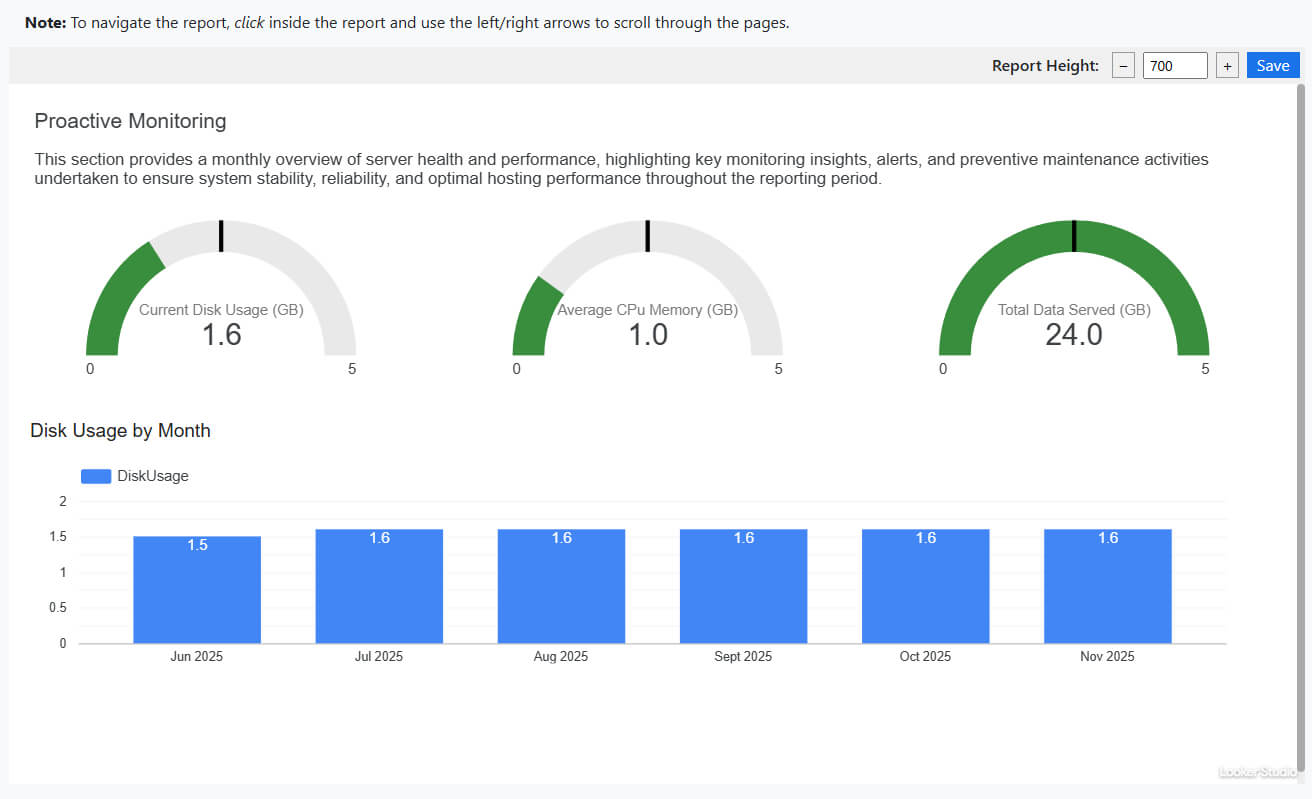
Looker Studio’s embedded reports present a common challenge: dynamic height adjustment. The official Embed SDK’s withDynamicIFrameHeight() method is sparsely documented and frequently fails to fire events, leaving developers with stubborn scrollbars or truncated content. This guide provides a robust, client-side alternative that empowers end-users to control report height while persisting their preferences.
The solution comprises three files: a JavaScript module, a stylesheet, and an HTML snippet. It requires no external dependencies, respects user preferences via localStorage, and gracefully handles mobile and desktop viewports.
File Structure
Organise your assets as follows:
/project-root
├── index.html
├── css/
│   └── iframe-resizer-lookerstudio.css
└── js/
    └── iframe-resizer-lookerstudio.js
Step-by-Step Integration
Step 1: Save the JavaScript Module
Copy the code below into js/iframe-resizer-lookerstudio.js. This module creates the iframe, injects height controls, and manages localStorage persistence.
No modification is required. The function detects viewport width on load and sets sensible defaults: 600 px for mobile, 500 px for tablet, and 700 px for desktop.
function embedLookerWithControls(reportUrl, containerId) {
  const container = document.getElementById(containerId);
  if (!container) throw new Error(`Container "${containerId}" not found`);

  // Clear container and create wrapper
  container.innerHTML = '';
  container.style.cssText = 'width:100%;';

  // Create controls FIRST (will appear at top)
  const controls = document.createElement('div');
  controls.id = 'looker-controls';
  controls.style.cssText = ``;

  controls.innerHTML = `
    <label>Report Height:</label>
    <button id="height-down">−</button>
    <input type="number" min="600" max="3000" step="100" value="700" id="height-input">
    <button id="height-up">+</button>
    <button id="height-save">Save</button>
    <span id="save-status" style="color:green; display:none; margin-left:8px;">✓ Saved!</span>
  `;

  // Create iframe container (below controls)
  const iframeWrapper = document.createElement('div');
  iframeWrapper.id = 'looker-iframe-wrapper';
  iframeWrapper.style.cssText = 'width:100%; position:relative;';

  const iframe = document.createElement('iframe');
  iframe.src = reportUrl.trim();
  iframe.style.cssText = 'width:100%; border:0; display:block;';

  // Set initial height based on device
  const getDefaultHeight = () => {
    if (window.innerWidth < 480) return 600;
    if (window.innerWidth < 1024) return 500;
    return 700;
  };

  const initialHeight = getDefaultHeight();
  iframe.style.height = `${initialHeight}px`;
  controls.querySelector('#height-input').value = initialHeight;
  iframeWrapper.appendChild(iframe);

  // Append controls FIRST, then iframe
  container.appendChild(controls);
  container.appendChild(iframeWrapper);

  // Control logic
  function updateHeight(value) {
    iframe.style.height = `${value}px`;
    controls.querySelector('#height-input').value = value;
  }

  controls.querySelector('#height-down').onclick = () => {
    const input = controls.querySelector('#height-input');
    input.stepDown();
    updateHeight(input.value);
  };

  controls.querySelector('#height-up').onclick = () => {
    const input = controls.querySelector('#height-input');
    input.stepUp();
    updateHeight(input.value);
  };

  controls.querySelector('#height-input').onchange = (e) => {
    updateHeight(e.target.value);
  };

  controls.querySelector('#height-save').onclick = () => {
    const height = iframe.style.height;
    localStorage.setItem('lookerHeight_90338fb3', height);
    const status = controls.querySelector('#save-status');
    status.style.display = 'inline';
    setTimeout(() => status.style.display = 'none', 2000);
  };

  // Load saved preference
  const saved = localStorage.getItem('lookerHeight_90338fb3');
  if (saved) {
    iframe.style.height = saved;
    controls.querySelector('#height-input').value = parseInt(saved);
  }
}
Step 2: Save the Stylesheet
Copy the CSS below into css/iframe-resizer-lookerstudio.css. This styles the control bar and ensures it sits flush against the iframe.
The controls are right‑aligned for minimal visual interference, with a subtle grey background that blends with most dashboards.
/*
Auto Height CSS & Controls for embeeded iframe view using Javascript
*/
#looker-container {
margin:0;
}
#looker-controls {
padding: 5px;
background: rgb(240, 240, 240);
border: 0px solid rgb(204, 204, 204);
margin-bottom: 0;
display: flex;
align-items: center;
gap: 8px;
font-family: system-ui;
border-radius: 0;
justify-content: flex-end;
}
#looker-controls label {
font-weight: 500;
margin-right: 5px;
}
#height-down, #height-up{
padding: 0px 5px;
cursor: pointer;
border: 1px solid #999;
}
#height-input {
width: 65px;
padding: 1px 5px;
font-size: 14px;
}
#height-save {
padding: 1px 10px;
background: #1a73e8;
color: white;
border: none;
cursor: pointer;
}
Step 3: Integrate into Your HTML Page
In your HTML file, link the stylesheet, include the script, and add a container <div> with the ID looker-container. Initialise the embed once the DOM is ready.
Replace YOUR_EMBED_URL_HERE with your Looker Studio embed URL. This is the only value you must edit.
<!DOCTYPE html>
<html lang="en">
<head>
  <meta charset="UTF-8">
  <meta name="viewport" content="width=device-width, initial-scale=1.0">
  <title>Looker Studio Report</title>

  <!-- 1. Link stylesheet -->
  <link media="all" rel="stylesheet" href="./css/iframe-resizer-lookerstudio.css" />
</head>
<body>

  <!-- 2. Add container where report will appear -->
  <div id="looker-container" style="width:100%;"></div>

  <!-- 3. Include JavaScript module -->
  <script src="./js/iframe-resizer-lookerstudio.js"></script>

  <!-- 4. Initialise embed (edit the URL) -->
  <script>
    document.addEventListener('DOMContentLoaded', () => {
      embedLookerWithControls(
        'YOUR_EMBED_URL_HERE',
        'looker-container'
      );
    });
  </script>

</body>
</html>
Step 4: Obtain Your Looker Studio Embed URL
- Open the report in Looker Studio.
- Click File → Embed report.
- Enable Embed.
- Copy the URL from the Embed URL field.
- Paste it into the HTML snippet above, replacing
YOUR_EMBED_URL_HERE.
Important: Ensure the URL contains /embed/reporting/ and ends with a page ID (e.g., /page/SZddfs). Do not use the sharing link or the standard report URL.
Notes & Troubleshooting
Issue 1: Controls Do Not Appear
Cause: The container ID does not match.
Fix: Verify that document.getElementById('looker-container') exists in your DOM and that the ID is unique.
Issue 2: Height Resets on Page Refresh
Cause: localStorage is disabled or cleared on exit.
Fix: Check browser privacy settings. The solution uses localStorage, which requires cookie-like storage to be enabled.
Issue 3: Report Still Shows Scrollbars
Cause: The default height is insufficient for your report’s content.
Fix: Adjust the getDefaultHeight values in the JavaScript file, or manually increase the height using the controls and click Save.
Issue 4: Controls Overlap Report on Mobile
Cause: The iframe wrapper lacks breathing room.
Fix: Add margin-top: 8px; to #looker-iframe-wrapper in the CSS file.
Issue 5: Console Error: "Container not found"
Cause: The script runs before the DOM element exists.
Fix: Ensure document.addEventListener('DOMContentLoaded', ...) wraps the embedLookerWithControls call.
Why This Approach?
Unlike fragile event-listening methods, this solution:
- Works with any Looker Studio report, irrespective of event emissions.
- Persists user preferences across sessions.
- Avoids CORS pitfalls by not probing the iframe’s document.
- Gracefully degrades to sensible defaults if JavaScript fails.
The trade‑off is minimal: a discreet control bar that end‑users rarely need after saving their preference once.
Browser Support
- JavaScript: ES6 syntax (const, arrow functions). Use a transpiler like Babel for IE11.
- CSS: Flexbox and
localStorage. Supported in all modern browsers and IE10+. - Tested browsers: Chrome 90+, Firefox 88+, Safari 14+, Edge 90+.